Kiprims DC310S DC Power Supply Makes Projects Easy

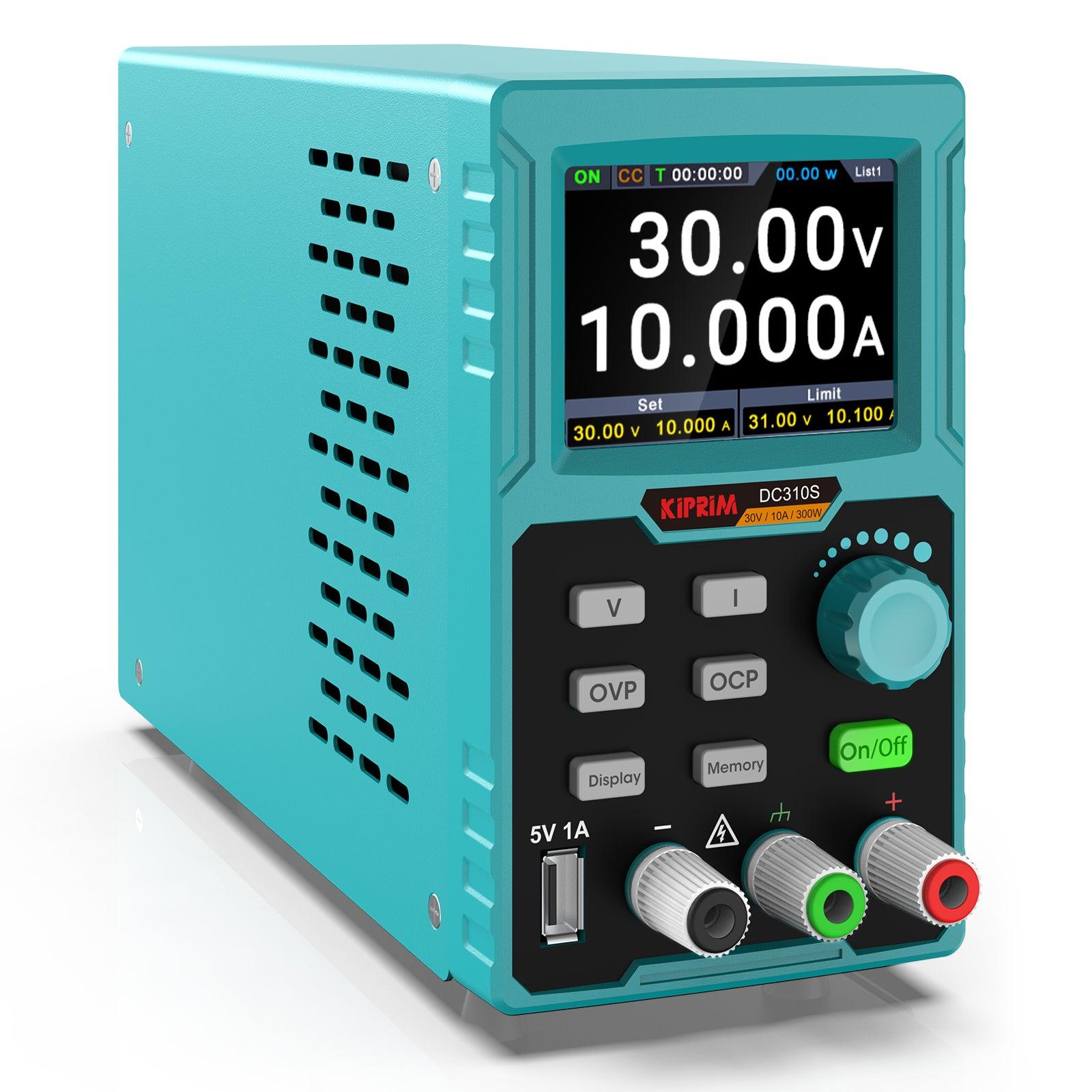
For reliable and safe electronics projects, the Kiprim DC310S dc power supply programmable power supply is the perfect choice. With precise control over voltage and current, the Kiprim DC310S fits easily on your desk thanks to its compact design. You can count on advanced safety features like overvoltage and overheat protection to keep your devices secure. The easy-to-read screen and straightforward controls make setup quick and simple. Whether you’re a beginner or an experienced user, this programmable power supply gives you confidence every time you work.
Key Takeaways
The Kiprim DC310S is small and simple to use. It works well for new users and people with experience. Safety features like overvoltage and overheat protection keep your devices safe during projects. The memory function lets you save up to ten settings. This helps you change between projects fast. The clear 2.8-inch color display shows real-time data. It helps you watch voltage and current easily. You can use the USB ports to charge devices. You can also connect to a computer for updates. This makes the power supply more useful.
Quick Start
Unboxing
When you receive your dc power supply programmable power supply Kiprim DC310S, you will notice the compact box. The package feels light because the unit weighs only 3.4 pounds. Open the box carefully. Inside, you will find the power supply, a power cord, a set of test leads, and a user manual. Check that all items are present before you continue. The small size, about 9.0 x 5.9 x 3.1 inches, makes it easy to carry or store on your workbench.
Tip: Keep the packaging for future storage or transport. It helps protect your device.
Setup
Place the Kiprim DC310S on a flat, stable surface. Make sure the vents are not blocked. This helps the intelligent cooling fan work well. Plug the power cord into the back of the unit. Connect the other end to a wall outlet. Attach the test leads to the output terminals on the front panel. The red lead goes to the positive terminal, and the black lead goes to the negative terminal. Double-check your connections before you turn on the power supply.
First Power-On
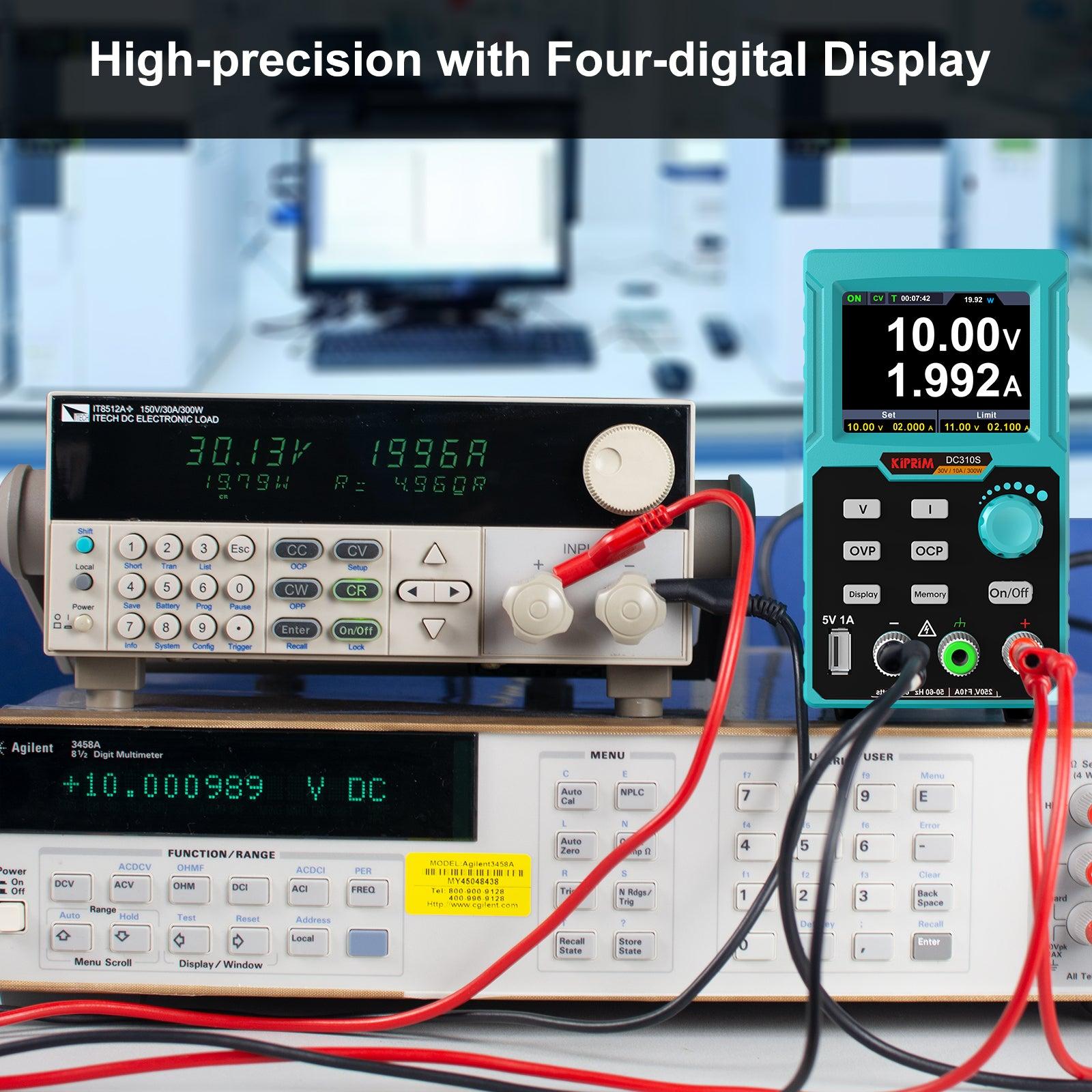
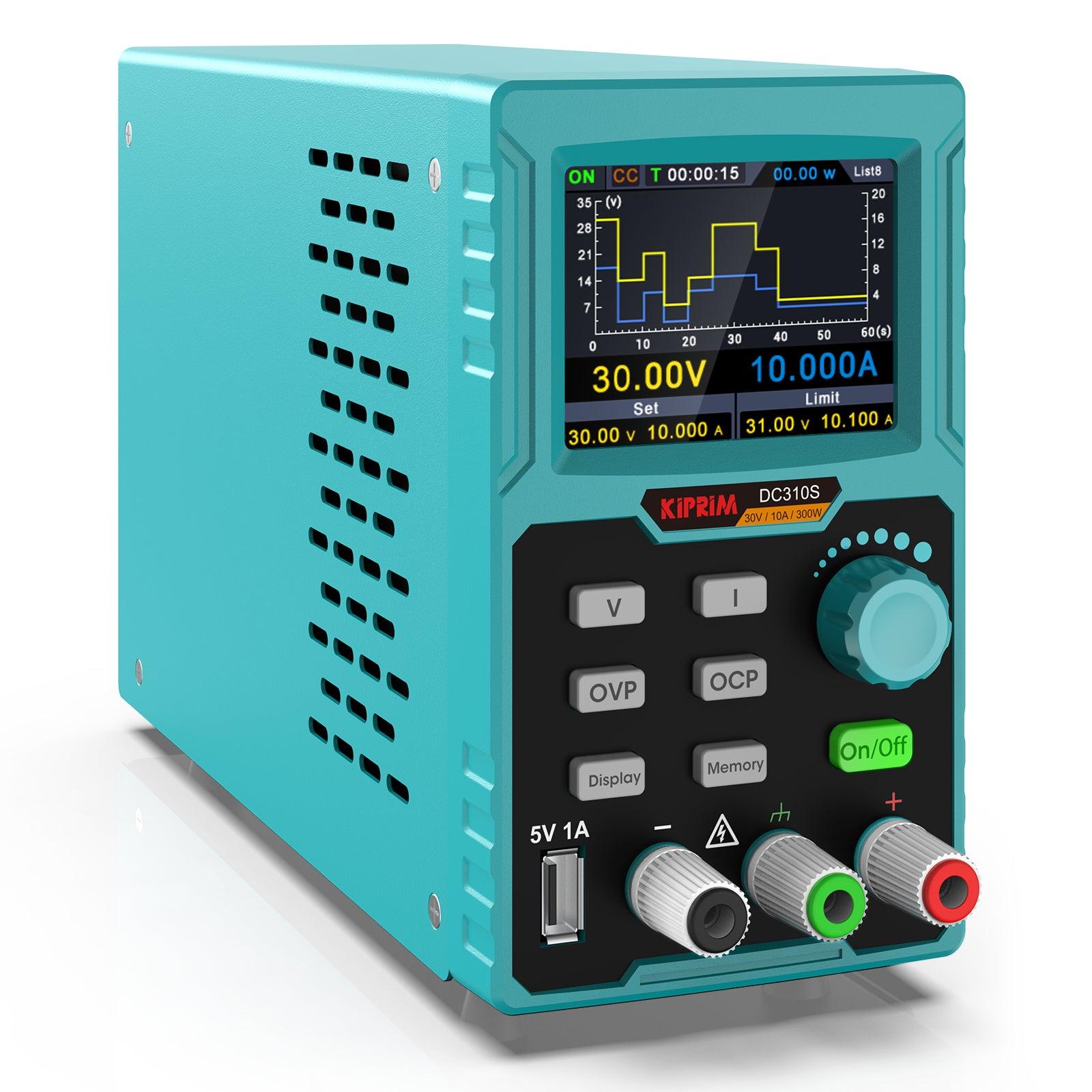
Press the power button on the front panel. The bright 4-digit display will light up. You will see real-time voltage, current, and power readings. Use the control knobs to set your desired voltage and current. The display key lets you switch between numbers and graphs. If you want to charge a phone, use the USB port on the front. The Kiprim DC310S is now ready for your first project.
Note: Always start with lower voltage and current settings. Increase them slowly to match your project’s needs.
Basic Operation
Voltage and Current Settings
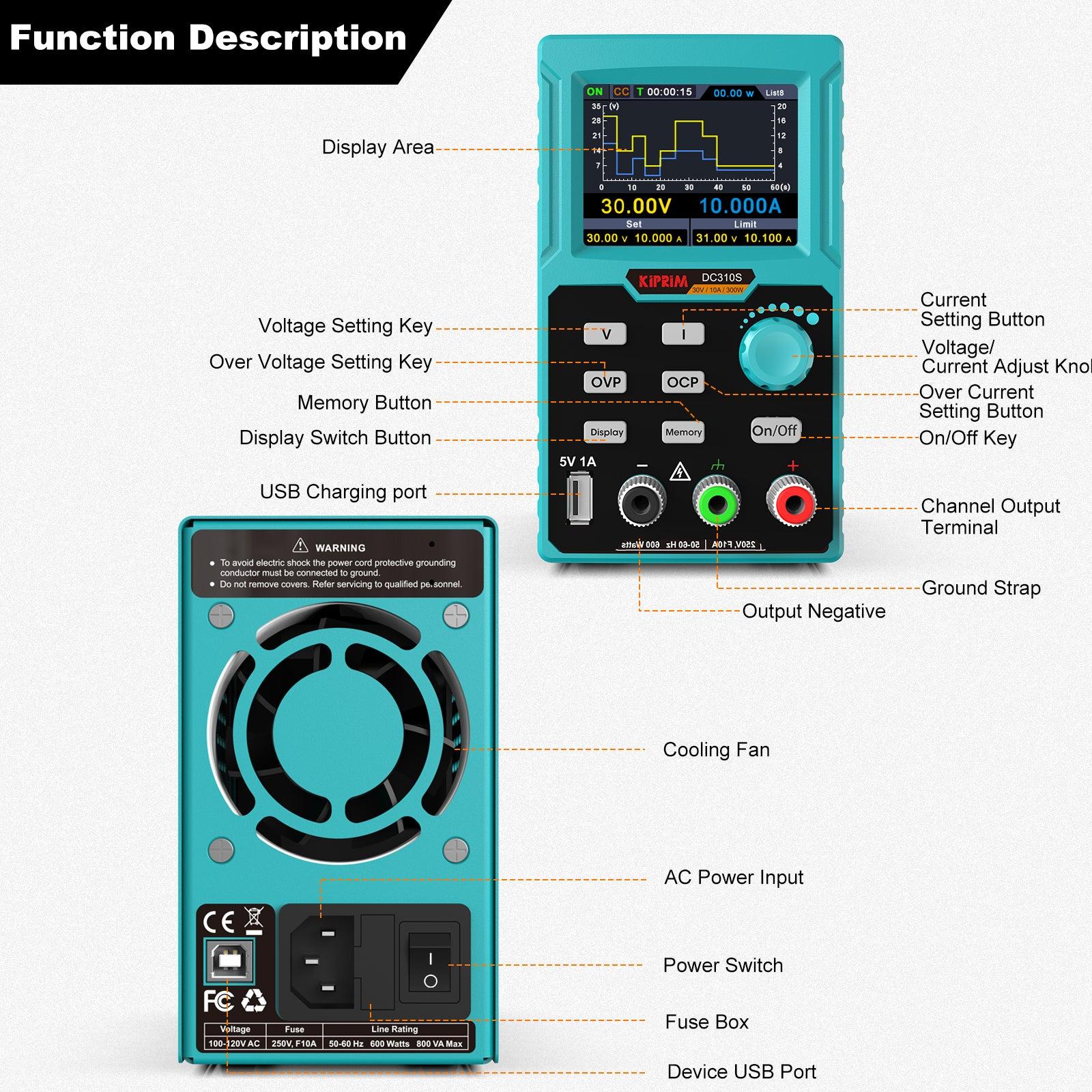
You use two knobs to set voltage and current on the Kiprims DC310S. Turn the voltage knob to pick how much voltage you want. The current knob lets you change how much electricity flows. The bright screen shows your settings right away. Start with low numbers and raise them slowly. This keeps your devices safe from sudden jumps.
Tip: Always look at your voltage and current before you connect anything. This helps keep your electronics safe.
If you want to remember your favorite settings, use the memory button. You can save up to ten different settings. This makes it simple to switch between projects fast.
Display Functions
The screen on the Kiprims DC310S is better than most power supplies. It has a 2.8-inch color LCD that shows voltage, current, power, and time together. You can use the display key to see numbers or graphs. This helps you see how your project is working.
Here is a quick chart that compares the Kiprims DC310S screen to other DC power supplies:
Feature | Kiprims DC310S | Similar DC Power Supplies |
|---|---|---|
Display Type | 2.8-inch color LCD | Varies (LED, LCD, etc.) |
Readability | High, clear presentation | Varies (some complex, some easy) |
Information Density | Shows many things at once | Varies (some show less) |
Display Options | Numbers and curve graphs | Fewer choices |
You see more information at once with the Kiprims DC310S. The clear screen helps you not make mistakes and work faster.
Device Connections
You connect your devices to the output terminals on the front. The red terminal is for positive, and the black is for negative. Attach the test leads tightly. Make sure your device matches the voltage and current before turning on the power.
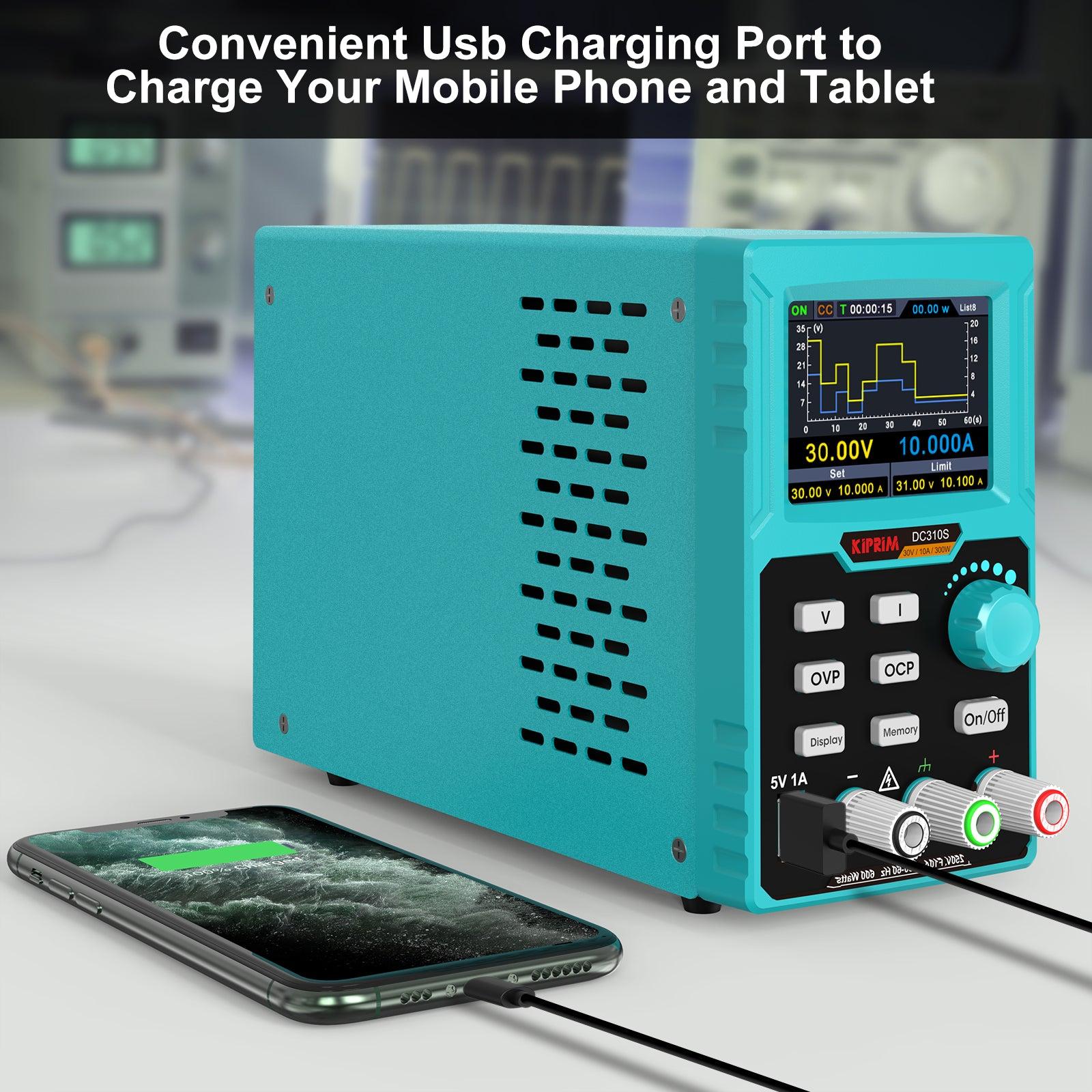
The dc power supply programmable power supply Kiprims DC310S also has a USB port in the front. You can use it to charge your phone or other small things. The back USB port lets you connect to a computer for updates and control. This makes the power supply good for many projects.
Note: Always check your connections twice. Tight leads stop short circuits and keep your space safe.
You can use the Kiprims DC310S for many jobs, like testing circuits or charging batteries. The easy controls and clear screen make every step simple.
Features of Kiprim DC310S

Programmable Power Supply Functions
You can control the Kiprim DC310S with great precision. The programmable features let you set exact voltage and current values for your projects. You use the control knobs to adjust the output. The 4-digit display shows your settings in real time. This helps you avoid mistakes and keeps your work accurate.
You can save up to ten different settings in the memory. This means you do not have to enter the same numbers every time. If you work on many projects, you can switch between saved settings quickly. The display key lets you see your data as numbers or as a graph. This makes it easy to track changes and spot problems.
Tip: Use the memory function to store your most-used settings. This saves time and helps you work faster.
Safety Protections
The Kiprim DC310S keeps your devices safe. It has built-in safety features like overvoltage, overcurrent, and overheat protection. You can set your own limits for voltage and temperature. If the power supply senses a problem, it will shut down to protect your equipment.
The intelligent cooling fan helps keep the unit at the right temperature. The fan only runs when needed, so you get less noise and longer life for your power supply. You do not have to worry about overheating during long projects.
Here are some safety features you get:
Overvoltage protection
Overcurrent protection
Overheat protection
Intelligent cooling fan
You also get peace of mind with a 12-month limited warranty on all Kiprim products, including the Kiprim DC310S. This warranty covers defects in materials and workmanship.
Note: Always check your settings before you start. The safety features help, but careful setup is the best protection.
Memory and USB Ports
You can use the memory function to save up to ten sets of voltage and current values. This is helpful if you work on different projects often. Just press a button to recall your favorite settings.
The dc power supply programmable power supply Kiprim DC310S has two USB ports. The front USB port gives you 5V at 1A. You can use it to charge your phone or other small devices. The back USB port connects to your computer. This lets you update the software or control the power supply from your PC.
Here is a quick look at the USB features:
USB Port Location | Function |
|---|---|
Front | 5V/1A charging for devices |
Back | PC connection for upgrades |
Tip: Use the back USB port to keep your power supply up to date with the latest features.
The Kiprim DC310S gives you a strong mix of smart features, safety, and easy controls. You can use it for many types of projects, from testing circuits to charging batteries.
Applications
Arduino Projects
You can use the dc power supply programmable power supply Kiprim DC310S to power your Arduino boards. This power supply gives you steady voltage and current, which helps your projects run smoothly. You can set the exact voltage your Arduino needs. This keeps your board safe from damage. If you want to test sensors or motors, you can adjust the settings quickly. The memory function lets you save your favorite settings for different Arduino projects.
Tip: Always check the voltage before you connect your Arduino. This helps prevent mistakes.
Many students and hobbyists use this power supply for school projects. You can build robots, weather stations, or smart home devices. The clear display helps you see how much power your project uses.
Electronics Testing
You can test many electronic devices with this power supply. If you build circuits, you need a tool that gives you the right voltage and current. The Kiprim DC310S lets you change settings fast. You can see real-time data on the screen. This helps you find problems in your circuits.
Here are some things you can test:
LED lights
Small motors
Sensors
Microcontrollers
You can use the graph display to watch how your device works over time. This makes troubleshooting easier.
Battery Charging
You can use this power supply to charge different types of batteries. Set the voltage and current to match your battery’s needs. The safety features protect your batteries from overcharging. You can charge lithium, nickel, or lead-acid batteries.
Note: Always follow the battery maker’s instructions for charging. This keeps your batteries safe and working well.
The USB port on the front lets you charge phones and other small devices. You can work on many charging projects with just one tool.
Troubleshooting & Safety

Common Issues
You may run into a few problems while using your Kiprim DC310S. Knowing what to look for helps you fix issues quickly. Here are some common problems users have reported:
The voltage output sometimes shows random steps or does not look smooth. This can happen if the voltage waveform quality drops.
The display may show strange numbers or errors. This often points to a problem with the ADC (analog-to-digital converter) inside the unit.
Faulty solder joints on the ADC data lines can cause the power supply to act up or give incorrect readings.
If you notice these issues, you can try these steps:
Turn off the power supply and unplug it.
Open the case only if you feel comfortable and have experience with electronics.
Look for loose or broken solder joints on the ADC data lines.
Use a soldering iron to redo any bad connections.
Close the case and power the unit back on.
Tip: If you do not feel safe opening the device, contact Kiprim support for help. Never try to fix something if you are unsure.
Safety Tips
You should always follow safety rules when working with any power supply. The Kiprim DC310S has built-in protections, but your actions matter most.
Always set the voltage and current before connecting your device.
Double-check all connections. Loose wires can cause short circuits.
Keep the power supply on a flat, stable surface. This helps the cooling fan work well.
Do not block the vents. Good airflow keeps the unit cool.
Never touch the output terminals when the unit is on.
Use the memory function to avoid setting mistakes.
⚠️ Note: Always unplug the power supply before cleaning or moving it.
By following these tips, you keep yourself and your projects safe. The Kiprim DC310S gives you tools for safety, but careful habits make the biggest difference.
Pro Tips
Performance
You want your Kiprim DC310S to work at its best every time. Here are some ways to get top performance:
Set the voltage and current carefully before you connect your device. This helps you avoid mistakes.
Use the memory function to save your favorite settings. You can switch between projects quickly.
Keep the power supply on a flat, stable surface. This helps the cooling fan work well and keeps the unit steady.
Make sure the vents stay clear. Good airflow keeps the power supply cool and quiet.
Use the display key to check both the numbers and the graph. This helps you spot changes in your project fast.
Tip: Always start with lower settings and increase them slowly. This protects your devices and helps you see how they react.
If you use the USB port, make sure your device does not draw more than 1A. This keeps charging safe and steady.
Maintenance
Routine care keeps your Kiprim DC310S reliable and safe. You can follow these simple steps:
Wipe the surfaces with a dry or slightly damp cloth. This removes dust and dirt.
Use compressed air to clear dust from the vents and moving parts.
Store the power supply in a dry place. Use silica gel packs or moisture absorbers to keep humidity low.
Clean the unit after each use to remove debris.
Check all moving parts and tighten any loose components.
Lubricate hinges or gears with light machine oil if needed. Always check the manufacturer’s guidelines for the right lubricant and wipe off extra oil to prevent dust build-up.
Recharge any batteries fully before storing the unit for a long time.
Note: Regular maintenance extends the life of your power supply. It also keeps performance high and helps prevent breakdowns.
You can keep your Kiprim DC310S working like new with just a few minutes of care each week.
DC Power Supply Programmable Power Supply Kiprim DC310S

Why Choose Kiprim DC310S
You want a power supply that makes your projects easier and safer. The dc power supply programmable power supply Kiprim DC310S gives you many reasons to choose it over other models. You get a compact design that fits on any desk. You can carry it to school, work, or your home lab without trouble. The controls feel simple, so you do not waste time learning how to use it.
You see clear numbers and graphs on the 2.8-inch color display. This helps you check your settings and watch your project in real time. You can save up to ten settings in memory. You switch between projects fast and avoid mistakes. The front USB port lets you charge your phone or small devices. The back USB port connects to your computer for updates and control.
Safety matters when you work with electronics. You set your own limits for voltage and temperature. The Kiprim DC310S protects your devices with overvoltage, overcurrent, and overheat features. The smart cooling fan keeps the unit quiet and cool. You get peace of mind every time you power up.
Let’s look at how Kiprim DC310S compares to other programmable DC power supplies:
Feature | Kiprim DC310S | Other Models |
|---|---|---|
Price | Competitive | Varies |
Protection Features | Multiple | Varies |
Display | 2.8-inch color | Varies |
Usability | Beginner-friendly | Varies |
Award | Editor's Choice | N/A |
You see that Kiprim DC310S stands out for its price, safety, and ease of use. Many users trust it for school, hobby, and professional projects. You get reliable performance and smart features that help you succeed.
Tip: Choose a power supply that matches your needs and keeps your devices safe. Kiprim DC310S gives you both.
You get more control and safety with the Kiprim DC310S programmable power supply. The easy controls and smart features help you finish projects faster. You protect your devices with built-in safety systems. Try the Kiprim DC310S for your next electronics project. You will see better results and feel more confident.
Remember: A reliable DC power supply gives you the power to create, test, and learn with ease.
FAQ
How do you save your favorite settings on the Kiprim DC310S?
First, set the voltage and current you want. Then press the memory button. The power supply can save up to ten settings. You can get them back later with one button.
Can you use the Kiprim DC310S to charge your phone?
Yes! The front USB port gives 5V at 1A. Plug your phone’s cable into this port. Your phone will charge safely while you work.
What safety features protect your devices?
Overvoltage protection
Overcurrent protection
Overheat protection
These features help stop damage to your devices. The smart fan cools the unit when it gets hot.
How do you update the software on the Kiprim DC310S?
Connect the back USB port to your computer. Download the software from Kiprim’s website. Follow the steps to update your power supply. Updates give you new features and better performance.
